
Mullvad Review: Privacy Starts at Signup
- Privacy Starts at Signup
- The Tunnel Changes the Observer, Not the Person
- WireGuard Is Now the Whole Tunnel Story
- Lockdown Mode Means What It Says
- DAITA Solves a Narrower, Harder Problem
- Streaming Isn't the Main Pitch
- Recent Users Describe the Same Split
- Run This Test Before You Rely on It
- Mullvad Is Focused on Purpose
Mullvad's signup page doesn't ask for your name, email, username, or password. It hands you an account number. That strips a common identity layer out before the tunnel even exists. It also turns one number into a credential you can't afford to expose.
That tradeoff tells you more about Mullvad than a wall of feature icons. The service is built for people who want a focused VPN with less account data, open-source apps, and visible technical work. It isn't built around streaming promises, bundled antivirus, or a long introductory discount.
The short verdict: Mullvad's privacy design is unusually coherent. You still have to trust the provider, protect the account number, and test the service against the websites and networks you actually use.
Privacy Starts at Signup
Compare two account screens.
A typical VPN may ask for an email address and password. The VPN company stores that account identity, the email provider holds the verification trail, and a payment processor may see transaction details when you use one.
Mullvad generates a numbered account instead. Its current no-logging and account-data policy says the basic account record contains the number and expiry time, with WireGuard configuration data added when used. No verification email exists because you didn't supply one. A payment method such as card, PayPal, bank wire, or Swish can still cause personal data to be processed, so the number doesn't make every payment path anonymous.
Same subscription. Fewer account identifiers—but not zero data everywhere.
Anyone who obtains the number may be able to use the account. Store it in a trusted password manager, don't paste it into support screenshots, and plan recovery before the device holding your only copy disappears.

The Tunnel Changes the Observer, Not the Person
Without Mullvad, the ISP carries your direct connections and can observe destination endpoints, timing, and volume; websites see the household public IP address.
With Mullvad connected correctly, the ISP sees an encrypted connection to a Mullvad server plus timing and volume. Mullvad's servers can observe the connecting IP while the session is live and the destination endpoints the traffic reaches; HTTPS can still protect page contents from the VPN itself. Websites see a shared Mullvad IP address, while cookies, account logins, browser fingerprinting, and anything you submit can still identify you to them.
Mullvad's policy says it doesn't log traffic, DNS requests, source IP addresses, connection timestamps, session duration, or user bandwidth at the VPN-session level. It documents limited temporary handling for simultaneous-connection checks and operational data separately. That's a strong written position, not magic visibility into every server at every moment.
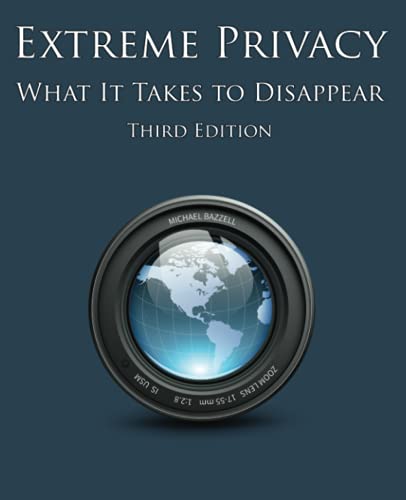
- Examines privacy as a full system involving accounts, devices, communications, travel, and records
- Goes well beyond choosing a VPN for readers who want a more deliberate privacy lifestyle
- Best treated as an advanced reference whose recommendations can be adapted to your actual risks
The company publishes app, infrastructure, web, Android, and account-system assessments. Its audit archive lets readers inspect dates, scope, findings, and remediation instead of treating “audited” as a permanent badge. An audit covers the systems and period tested; it doesn't certify every future release.
There is also a real-world data point. Mullvad reported that Swedish police visited its Gothenburg office with a search warrant in April 2023 and left without taking equipment or obtaining customer information. One event supports the data-minimization story, but it can't promise the outcome of another request under different facts.
WireGuard Is Now the Whole Tunnel Story
Mullvad removed OpenVPN support on January 15, 2026. Its final removal notice directs customers to WireGuard, including people using manual configurations or routers.
That makes the product simpler to explain and less flexible for a network or device that specifically depends on OpenVPN. Before paying, confirm that every platform and router you need can run Mullvad's current WireGuard setup.
The official apps cover major desktop and mobile platforms and expose more than a connect button. Depending on platform, readers will encounter automatic connection, lockdown behavior, split tunneling, local-network sharing, custom DNS, content-blocking DNS, multihop, obfuscation, and DAITA. Availability and interaction differ, especially where the operating system supplies its own always-on controls.
Lockdown Mode Means What It Says
Mullvad's built-in kill switch is designed to block internet traffic after the tunnel fails. Lockdown mode goes further by requiring the VPN even when you've intentionally disconnected in the app.
Test both states. During an ordinary protected connection, the access network sees the Mullvad server endpoint and the destination sees a Mullvad address. If the tunnel drops and blocking holds, the access network receives no new direct destination connection and the destination receives no fallback request. If you deliberately quit or disconnect under lockdown mode, internet access remains blocked until you change the setting or restore the tunnel.
That last result can look like broken Wi-Fi. Write down the recovery step before enabling it on a travel device.
Split tunneling creates the opposite effect for excluded apps. The excluded app uses the ordinary route: the ISP resumes its normal view of that connection, Mullvad doesn't receive it, and the destination sees the household IP address. Covered apps keep the VPN route, with the ISP seeing the Mullvad connection, Mullvad forwarding traffic, and destinations seeing the shared Mullvad address.
On Android, the operating system's “Block connections without VPN” setting can block excluded apps and LAN connections. Local-network sharing and split tunneling aren't interchangeable; test the printer, file share, game, and browser separately.
DAITA Solves a Narrower, Harder Problem
Encryption hides content on the first leg, but traffic still has shapes: packet sizes, direction, volume, and timing. Mullvad's DAITA feature changes traffic patterns as a defense against analysis that tries to recognize those shapes.
It isn't a free “more privacy” switch. Mullvad warns that DAITA increases network traffic and can affect speed, battery, and limited-data use. If the selected exit isn't DAITA-enabled, behavior depends on the app version: older controls may use automatic multihop unless Direct Only is selected, while newer apps replace that switch with Multihop modes and use “Never” to require a DAITA-capable exit.
Start without it. Measure calls, downloads, battery, and data use on a nearby server. Enable DAITA when traffic-analysis resistance matches your threat model, then measure again.
A WireGuard-capable gateway can cover compatible devices that can't run Mullvad's app, but it moves control to the router. The device sends traffic across the local network to the gateway; the gateway creates the Mullvad tunnel; the destination sees the Mullvad address. You lose app-level controls unless the gateway recreates them, so verify its kill switch, DNS handling, and policy routes rather than assuming the logo provides parity.

- Sits on a wired network as a dedicated gateway for OpenVPN or WireGuard traffic
- Can run VPN client and server roles together for remote access and protected outbound browsing
- Has no Wi-Fi radio, making it best for pairing with an existing router or access point
Streaming Isn't the Main Pitch
Shared VPN addresses attract CAPTCHAs and blocks from search engines, banks, games, and media services. Mullvad doesn't center its product on unlocking particular entertainment catalogs, and it doesn't offer dedicated IP addresses.
That can be a virtue for a privacy-first buyer and a deal-breaker for a streaming-first buyer. Don't translate a strong logging policy into a promise that BBC iPlayer, Netflix, or a bank will accept today's exit server.
Test the services that can stop your day. Sign in to banking, search, work tools, games, and authorized media on a nearby server. Try another server when one address is challenged, but treat repeated blocks as a fit problem rather than a puzzle you must keep solving.
Recent Users Describe the Same Split
This review checked the 20 newest detailed English-language Trustpilot entries visible on September 2, 2026 and excluded rating-only posts. That's a small, self-selected snapshot, not a representative customer survey.
Recent Mullvad reviews on Trustpilot praise the no-email setup, simple apps, stable connections, straightforward pricing, and privacy stance. Critical posts report blocked streaming or commercial sites, confusing geolocation results, Windows connectivity trouble, speed problems in restrictive locations, and support that didn't resolve a specific case.
Those reports don't prove what your line will do. They tell you what to test while a refund or cancellation decision is still easy.
Run This Test Before You Rely on It
Reboot with automatic connection and lockdown mode enabled. Interrupt the tunnel and watch whether the household IP appears. Check DNS, IPv4, IPv6, and WebRTC behavior.
Open essential banks, work tools, search engines, and media services. Run a long video call and download on a nearby WireGuard server. Test every split-tunnel exclusion and local device.
Enable DAITA only after recording a speed, battery, and data baseline. Recover the account number from your planned backup.
One limit deserves emphasis: a hardware security key can't add multifactor authentication to Mullvad's numbered login. It can protect a compatible password manager or email account used in your wider recovery plan, but the Mullvad number itself remains the credential.

- Connects through USB-C or NFC, covering many newer computers and compatible phones
- Adds a phishing-resistant physical check to passkeys and supported multi-factor logins
- Works without a battery, code display, or wireless pairing process
Download only from the official Mullvad page or its verified store links. Linux users should follow Mullvad's own package and repository instructions rather than a third-party download page. Verify the app before giving it the credential that controls every registered device.
Mullvad Is Focused on Purpose
Choose Mullvad when minimizing account data, inspecting public technical work, and using a focused WireGuard service matter more than streaming guarantees or a bundled security suite.
Skip it when an email-style recovery flow, OpenVPN, a dedicated IP, or reliable access to a particular media catalog is nonnegotiable.
The number on the signup screen isn't a gimmick. It's the beginning of a coherent privacy design—and a reminder that privacy still depends on what you do after you copy it.